Write, arrange pages and publish with a CMS on your own hosting. Keep control of your content and get help with setup, design or custom development when you need it.
Free self-hosted core preview · Version 0.4.0 · GPLv2-or-later · ZIP, 2.12 MB. Includes the installer, English user guide, and Editorial and Journal layouts. Review on an isolated installation before updating an existing website.
YOUR OWN PUBLISHING SPACE
A clear place to work.A website that is yours.
Install the free core on compatible PHP hosting, manage your own database and publish through a private dashboard. Your public site and editorial workspace have separate purposes.
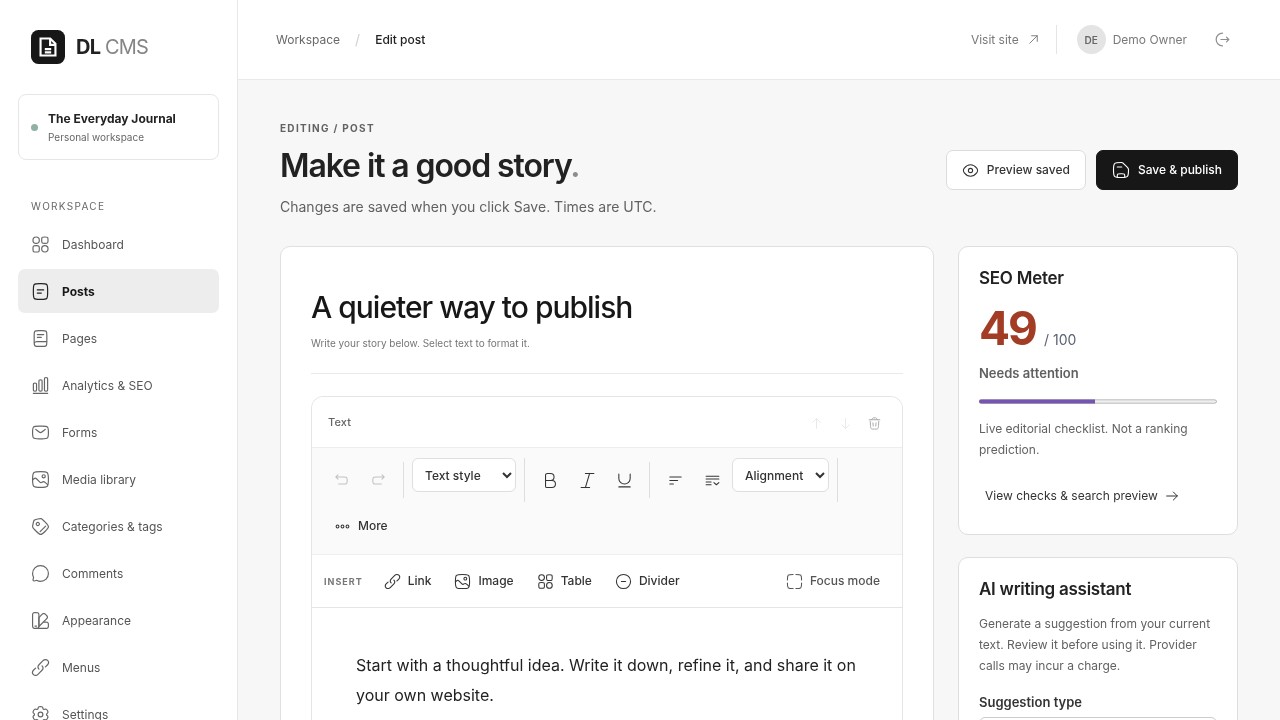
Write and publish
Draft a post, review the saved preview and publish when it is ready.
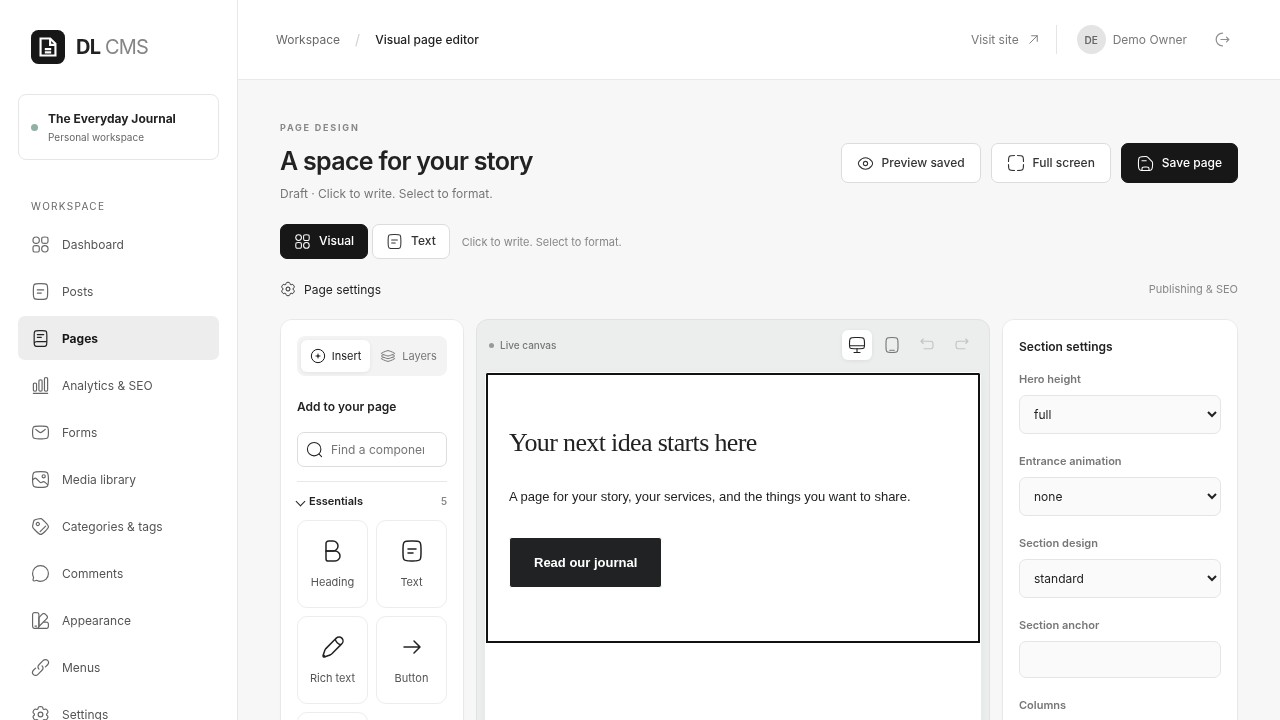
Arrange a page
Use supported visual elements to shape pages without inserting executable code.
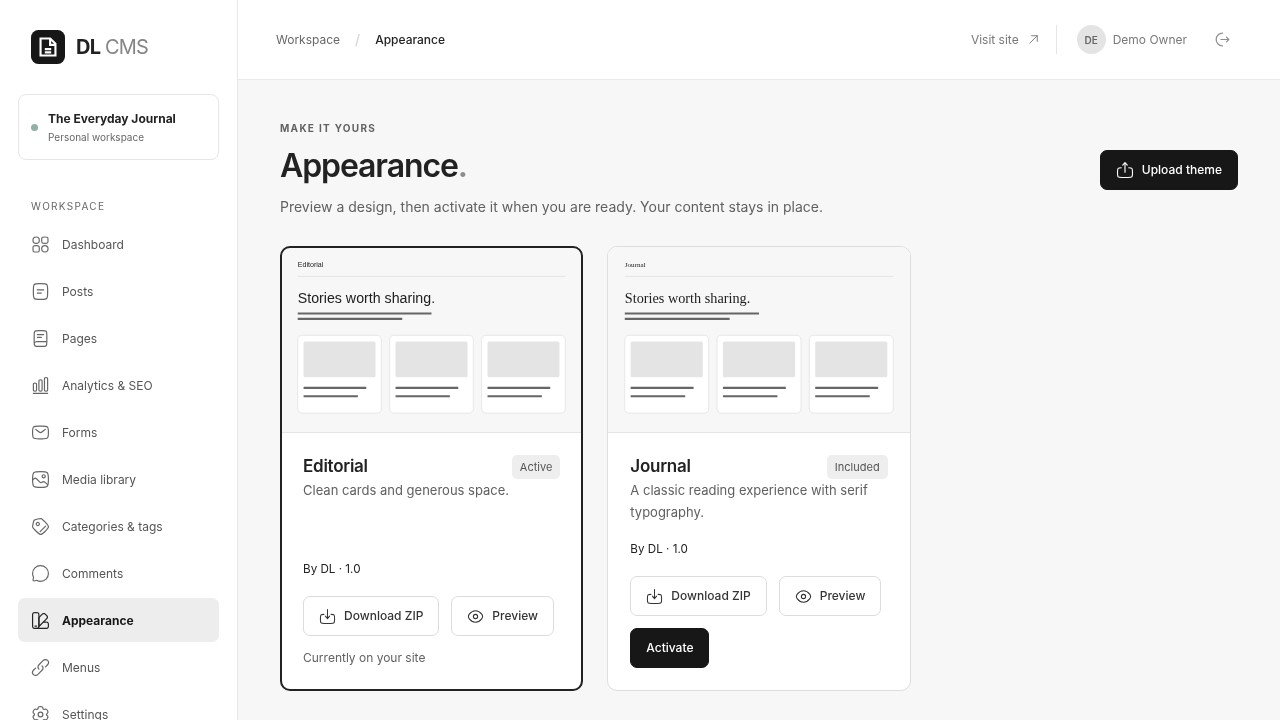
Choose a layout
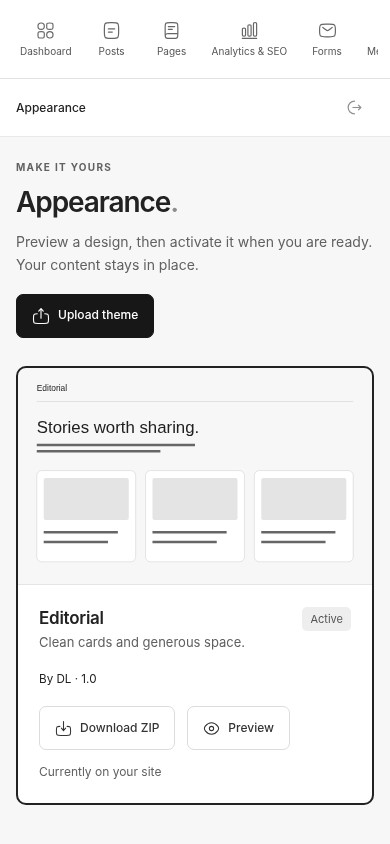
Start with Editorial or Journal, the two layouts included in the free core.
Get help when you need it
Optional paid setup, design, customization and development are separate services.
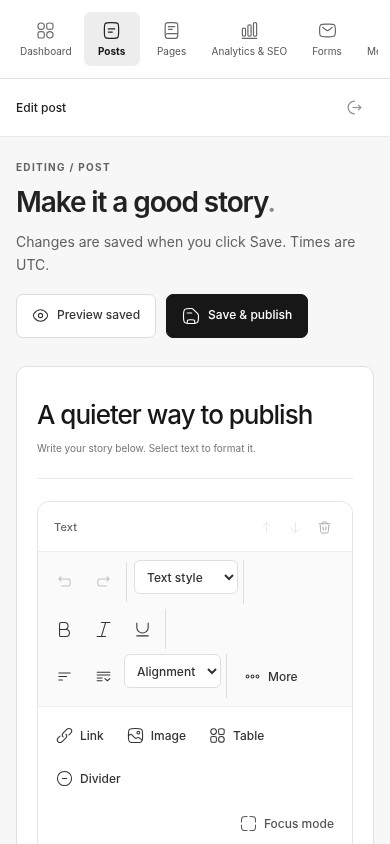
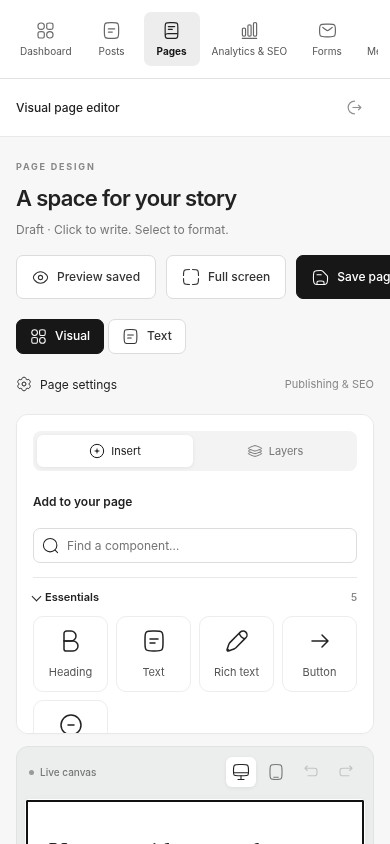
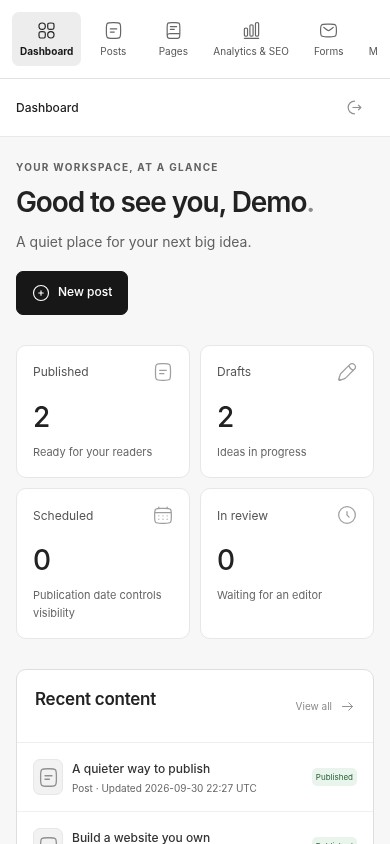
These are original screenshots from the clean release preview, using example content. Open any image at full size to inspect the actual interface. Nothing here contains customer records or private credentials.
Write and publish
Give each story a title, content, excerpt and publication settings. Save a draft, inspect the saved preview, then publish or send it for review.
Desktop workspace: the original screenshot remains uncropped and can be opened at full size.
Give each story a title, content, excerpt and publication settings. Save a draft, inspect the saved preview, then publish or send it for review.
Publish with confidence.Keep the everyday work clear.
The free core focuses on content, page structure and day-to-day publishing. Optional mail and AI integrations need your own private configuration.
Posts, drafts and scheduling
Write stories, set UTC publication dates, use pending review and keep the latest 20 saved revisions.
Pages with nine core elements
Arrange supported page elements, preview saved work and publish deliberately.
Media with context
Upload supported images, add alt text and captions, and reuse them. Optimize images before uploading; the CMS does not compress or crop them.
Forms and responses
Create supported forms and review stored responses. Email notifications require private SMTP configuration; they are disabled by default.
Roles and visibility
Administrator, editor, author, contributor and subscriber roles define the work each account can do. Uploaded media URLs remain public.
Search, feeds and navigation
Set SEO titles and descriptions, organize categories/tags and menus, and expose eligible public content through sitemap and RSS. No ranking or traffic guarantee.
FIVE STEPS / YOUR OWN HOSTING
Start with an empty database.
Finish with your own website.
Requirements: PHP 8.2 or newer, PDO SQLite or PDO MySQL, fileinfo, private writable storage and a web root limited to public/. Production also needs HTTPS. MySQL / MariaDB must be provisioned by your host first; the wizard does not create a database server or database user.
The five images below come from a real isolated installation. All secret fields are blank. Example database names and publisher details explain the fields; they are not credentials to reuse.
1 / 5
CHAPTER 01
01 / Welcome
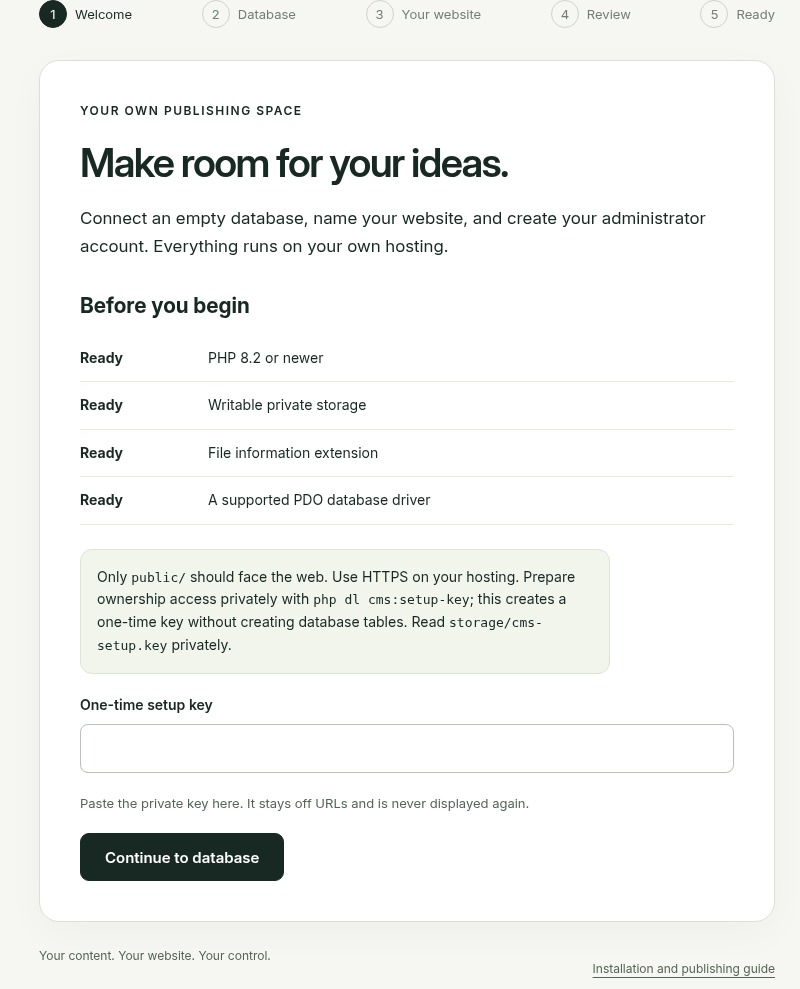
Check PHP, private writable storage and a supported database driver. Prepare the one-time ownership key privately with php dl cms:setup-key, then enter it on your own installation.
Step 1 — Welcome. Actual installation capture; setup keys and passwords are blank.
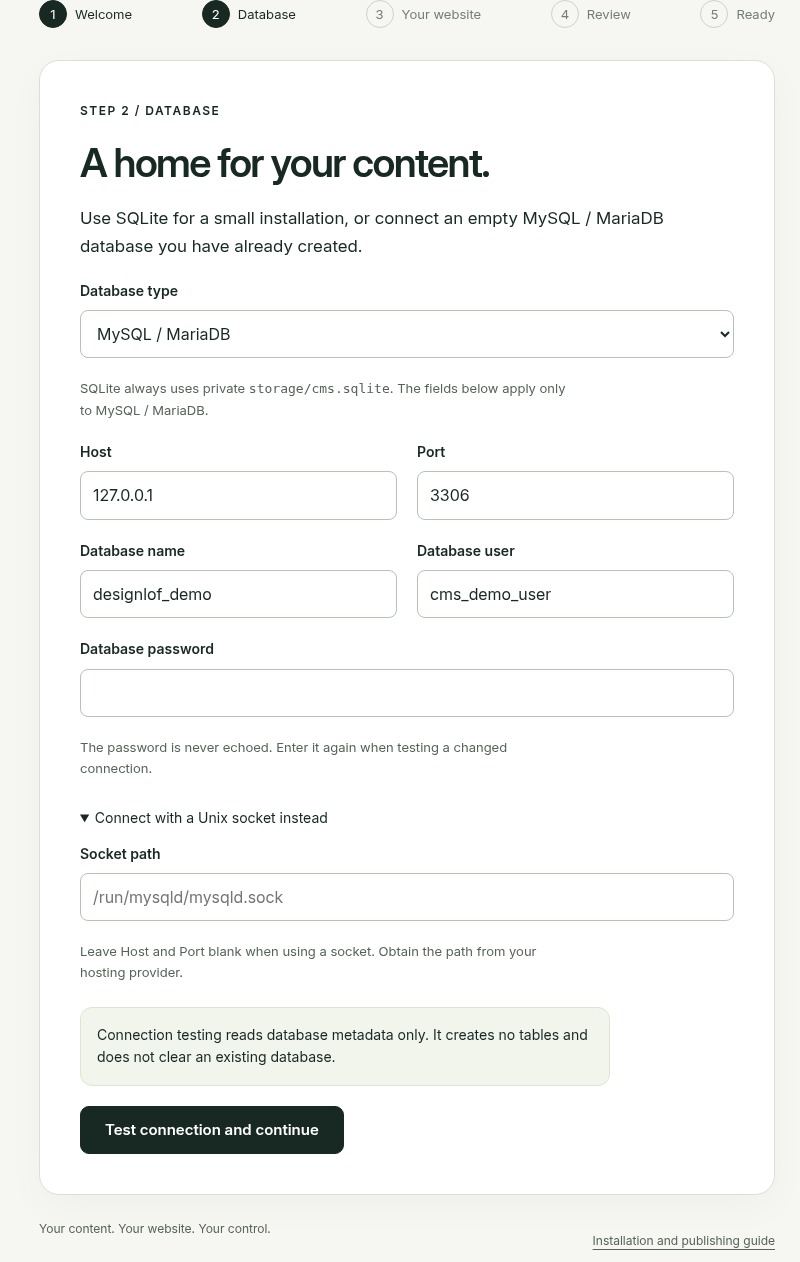
Choose SQLite with private writable storage, or an empty MySQL / MariaDB database and dedicated database user supplied by your host. Test the connection before continuing; testing does not create tables.
Step 2 — Database. Actual installation capture; setup keys and passwords are blank.
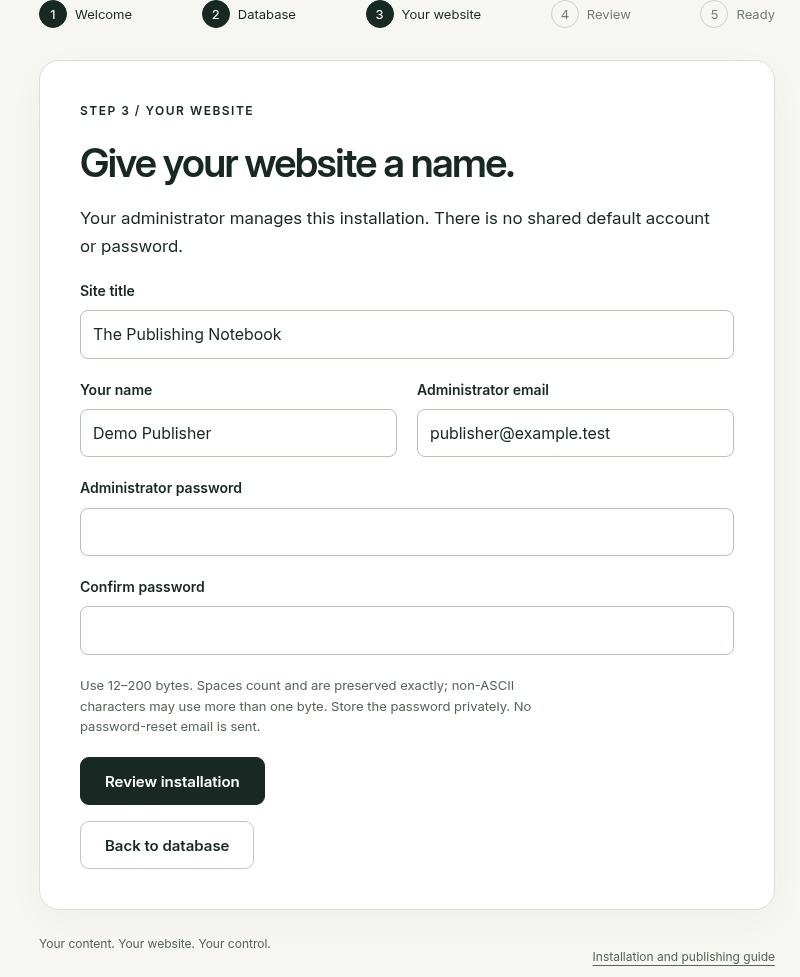
Choose the site title, your display name and administrator email. Enter a unique administrator password privately and confirm it. There is no shared default account or password.
Step 3 — Your website. Actual installation capture; setup keys and passwords are blank.
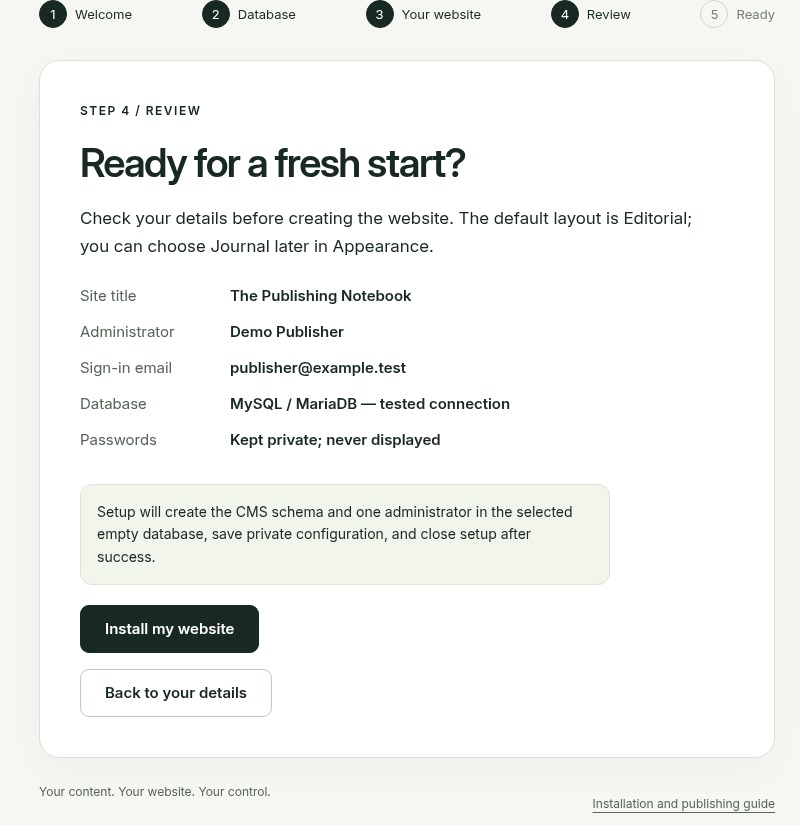
Check the identity and tested database. Install my website creates the owned installation. If interrupted, resume with the same original private key; never erase tables or the installation journal to start again.
Step 4 — Review. Actual installation capture; setup keys and passwords are blank.
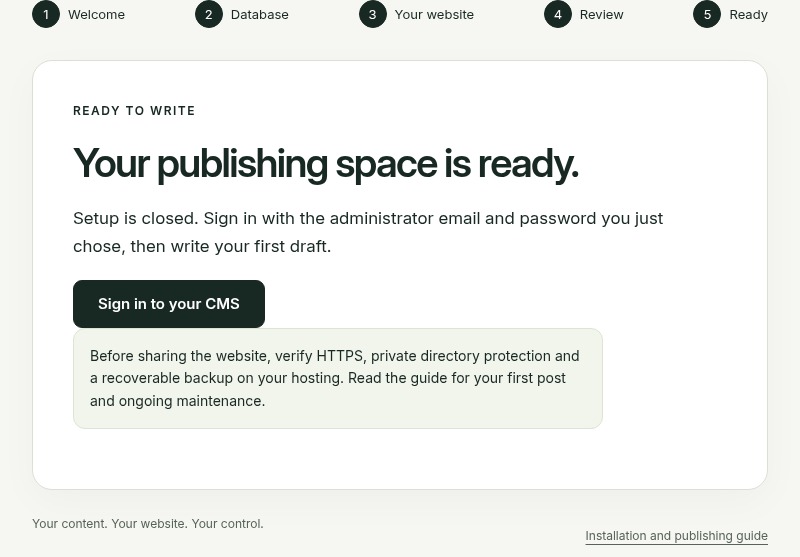
Setup closes after success. Sign in with the CMS email and password you chose, then create your first draft. Prepare HTTPS and a recoverable backup before inviting visitors.
Step 5 — Ready. Actual installation capture; setup keys and passwords are blank.
Self-host the free CMS and manage your own installation. The core source is available under GPLv2-or-later. The ZIP includes the fresh-install wizard, the complete English guide and original setup screenshots. Third-party components retain their own notices and licenses.
Want a hand with hosting, setup, design or custom development? Discuss the project first. Services are optional and scoped separately.
A clear boundary around the release.
Editorial and Journal belong to the free core. Designlof commercial website themes and their specialist components are separate offerings; they are not included in this download.
There is no hosted free-account service, automatic updater or emailed password reset. Keep credentials private, coordinate updates and keep a backup you can restore.
Before you get started.
Is this a hosted account service?
No. The free core is intended for download and self-hosting on compatible PHP hosting. You control the installation and database.
Can I download it right now?
Yes. Use Download free CMS — Preview at the top of this page. Version 0.4.0-core-preview is a clean self-hosted source package with no default account, database, site content or private configuration. Read the included requirements and installation guide before setting up your website.
Which layouts are included?
Editorial and Journal are included in the free core. Commercial Designlof themes, setup and bespoke design/development are separate.
Which database can I use?
SQLite uses a private local file. MySQL and MariaDB use the PDO mysql driver, an existing empty database and the connection values supplied by your host.
Can I update content without writing code?
Yes, through supported editors and structured page elements. Installing hosting, configuring integrations and updating the server still need operator access or help.
Where can I get help?
Use the existing Designlof contact page to discuss setup, hosting, design, customization or development. No payment or booked service is implied by sending an enquiry.
Your next website.Your next chapter.
Bring your content, your publishing goals and the parts you would like help with. We can discuss the setup, design and development your website needs.
 designlof.